For ecommerce
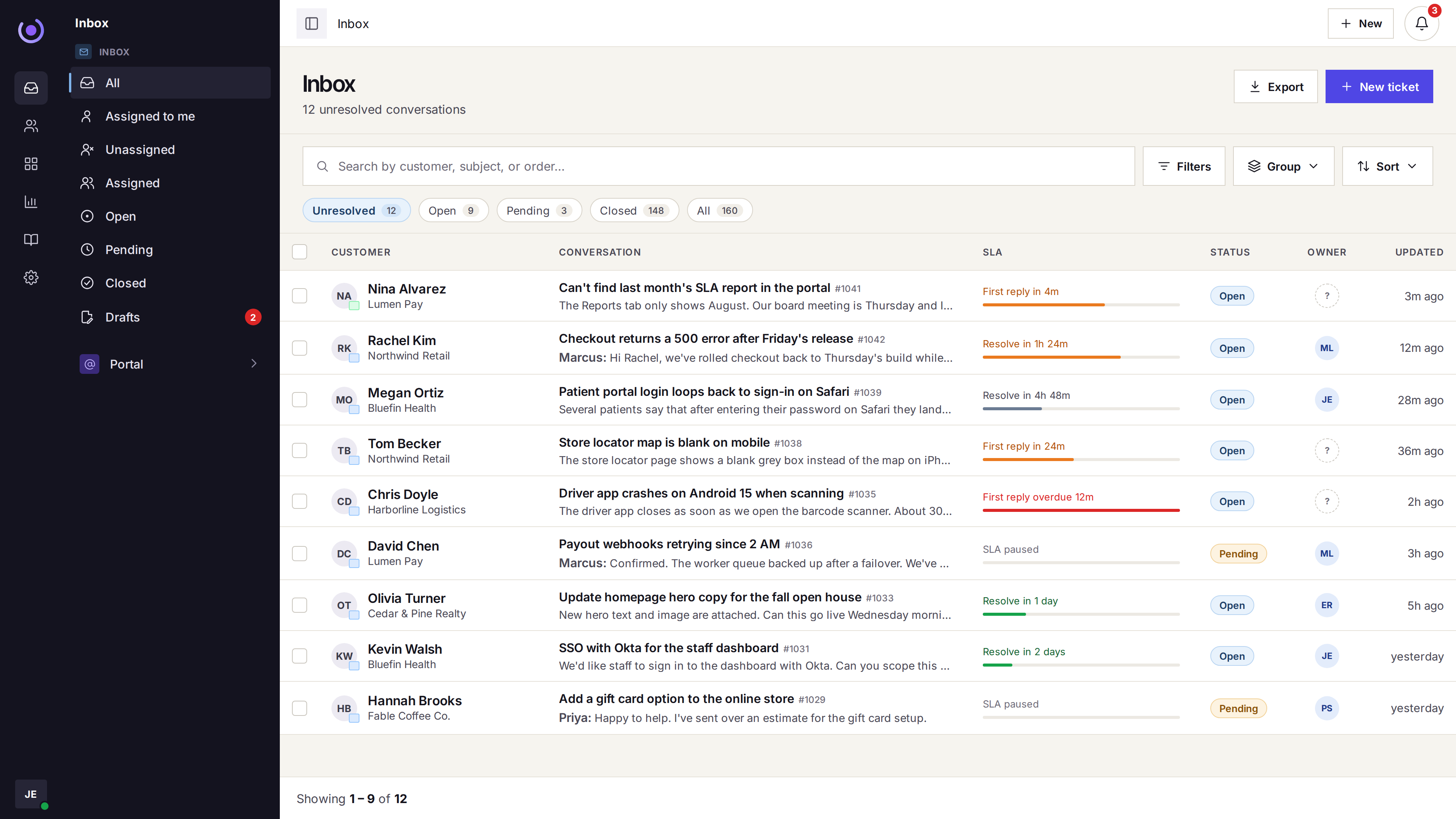
Where every order question lands in one calm queue
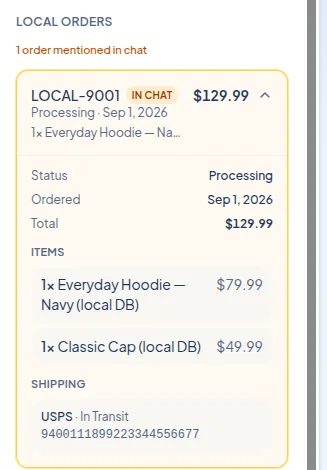
A shipping ask, a return, and a sizing question stop ping-ponging across tools. The order and the customer are already on the thread when you reply.
- Email, chat, and portal in one queue
- The order sits on the ticket
- Macros for the replies you send daily
Built for small and mid-size stores
For teams of 3–30 who answer customers themselves — not a 200-seat BPO.
Where it breaks first
Four patterns we see in teams the week before they switch.
Where is my order?
The same question, fifty times a day, with the tracking number in another tab.
Returns and refunds
A refund request waits because the customer thread does not show the order.
Peak-week forwarding
A promo lands. Email is forwarded around and nobody is sure who owns what.
Chat without context
The widget pops in a message with no history, no account, no last ticket.
01 — For ecommerce
One thread, order on the row
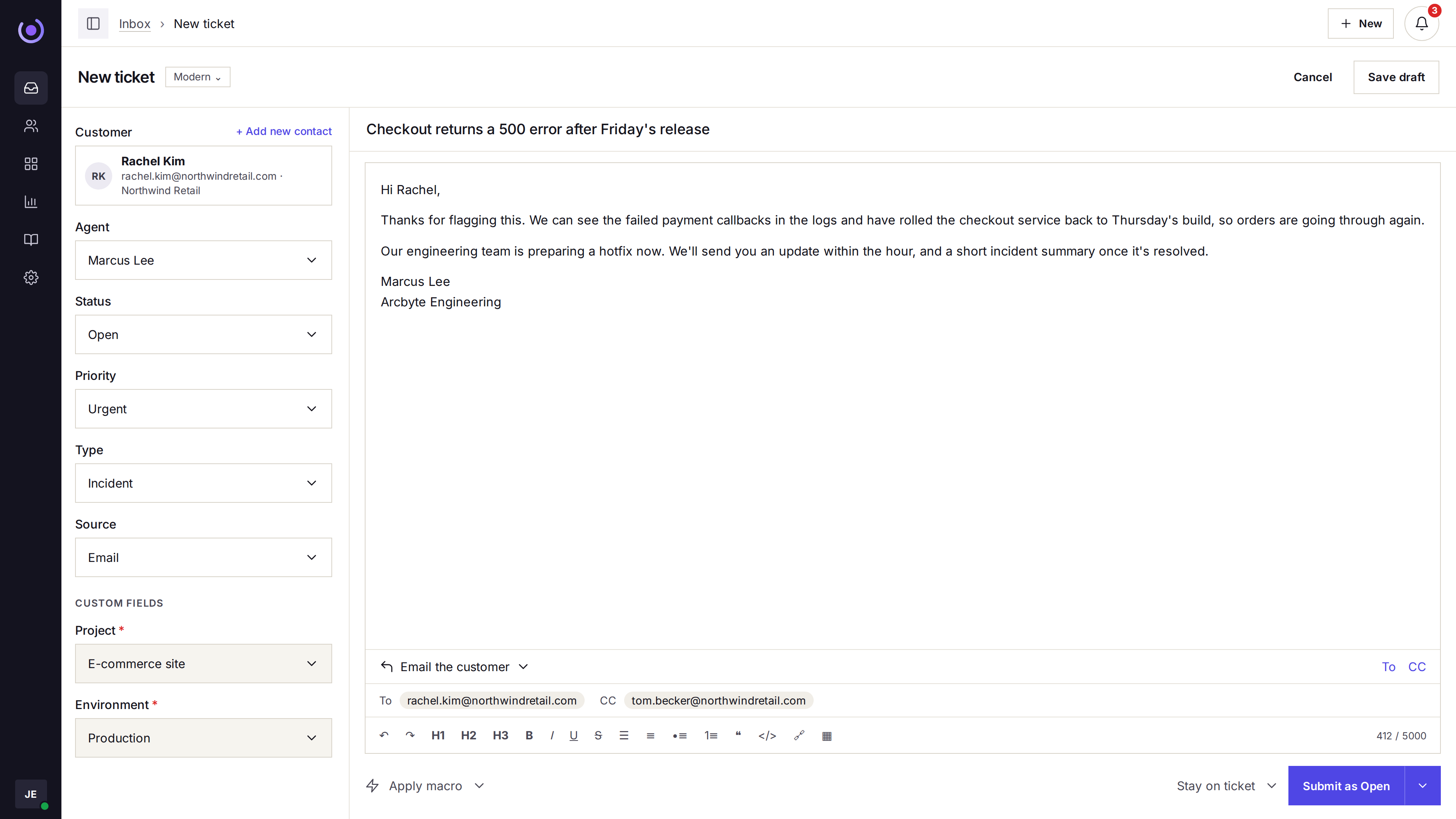
The customer, the order, the shipping status, and the earlier tickets are already on the thread when the agent opens it.
-
Order on the thread
The order number, items, and shipping status sit next to the reply box.
-
Email, chat, and the portal
A customer can write from any of the three — the thread stays one ticket.
-
Refund without tab-hopping
The sidebar links back to the order so the refund happens in context.
-
Internal notes
Confirm with the warehouse or a manager without the customer seeing it.
-
VIP on the row
Tag loyal customers and route their tickets to a lead on Growth.
-
No duplicate replies
A collision warning shows when a teammate is already in the thread.
02 — For ecommerce
Stop writing the same reply all day
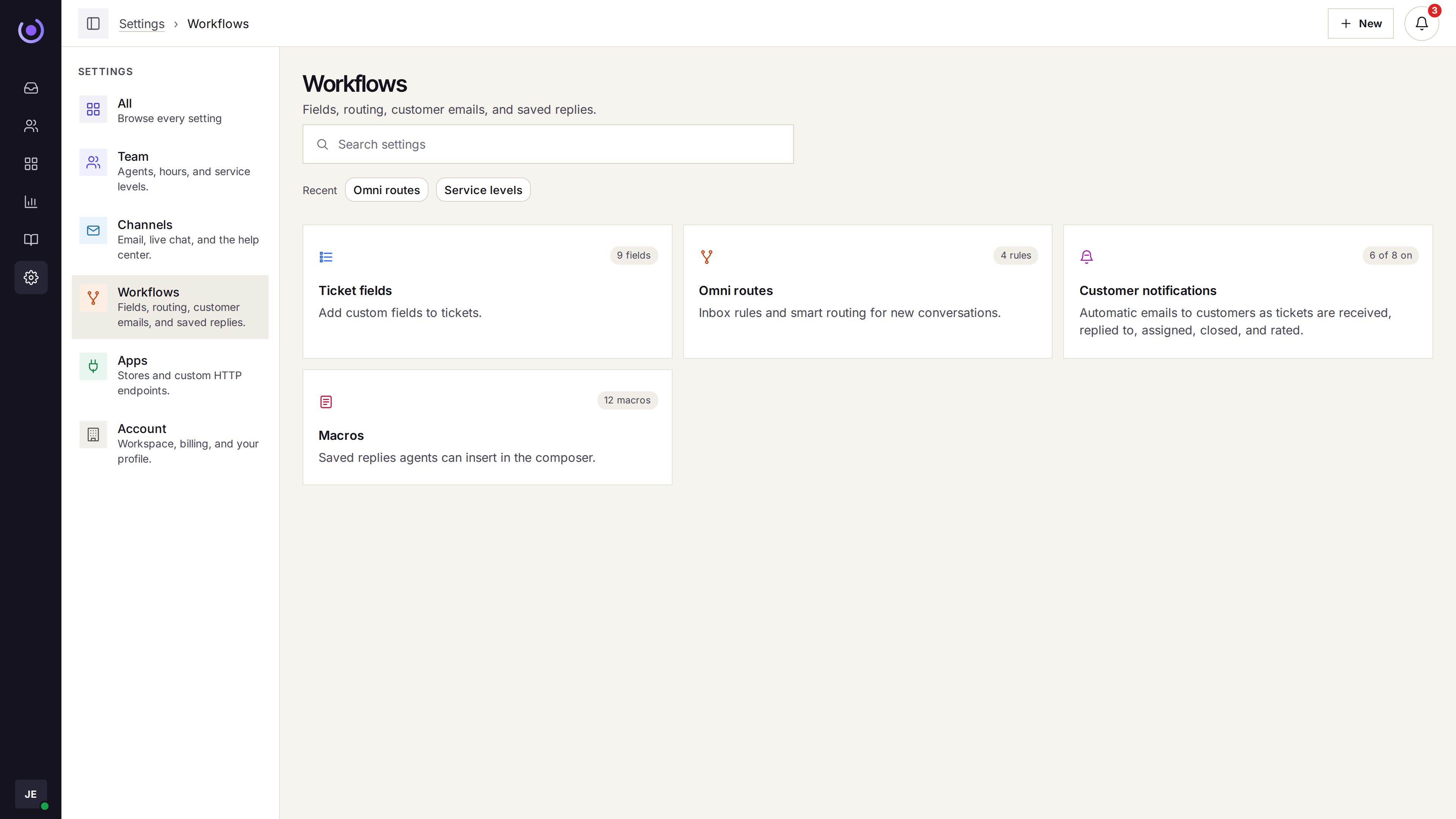
Build a short library of macros for returns, sizing, and shipping. The queue stops being a copy-paste job.

-
Macros with merge tags
Insert the customer’s name, order number, and tracking link in two clicks.
-
Workflows tag and route
A refund request gets flagged, a VIP gets escalated. Automatic.
-
Tickets create themselves
Email, live chat, and the portal open a ticket on their own.
-
Ticket types
Question, incident, problem, and feature request — sort the queue by what it is.
03 — For ecommerce
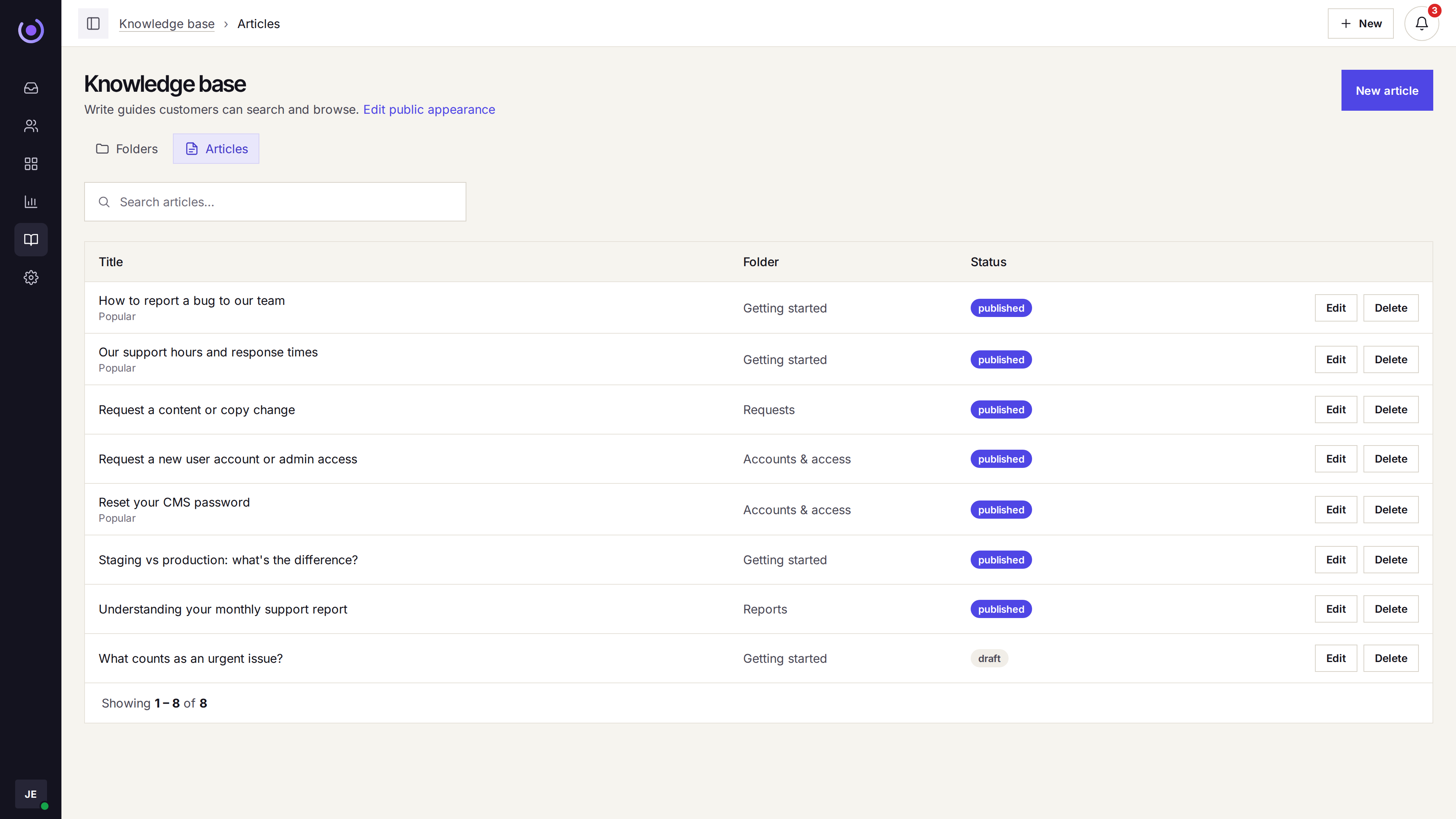
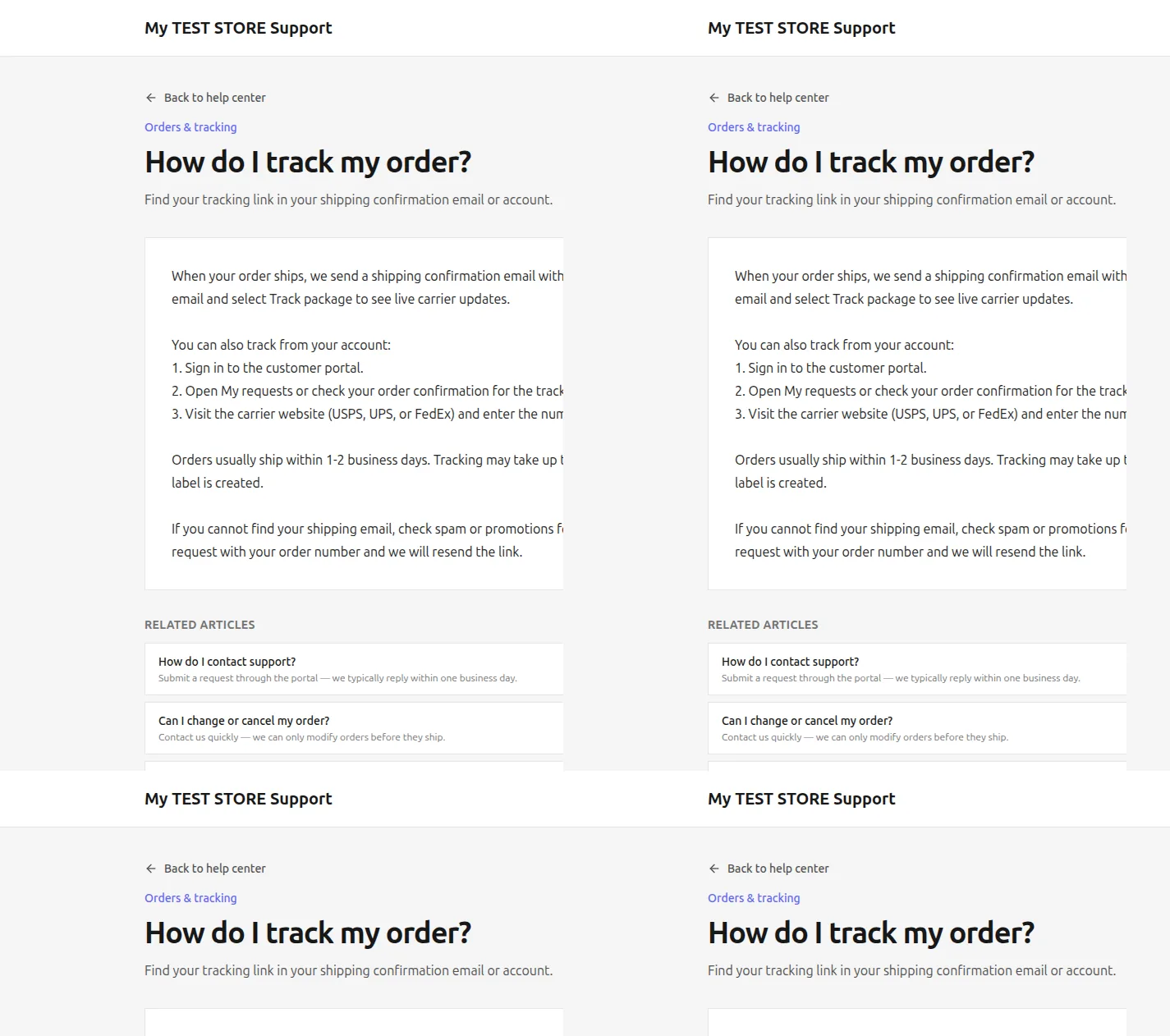
A help center that absorbs the FAQs
Shipping times, returns, size guides. Put them on a public help center and the portal picks them up next to the status of the request.
-
Articles and folders
Returns, shipping, sizing, order status — the questions you hear every day.
-
Portal beside it
Customers see their ticket status and recent replies in the same place.
-
Search on both
The help center and the portal use the same search. One answer, same wording.
-
Your domain, your logo
The portal and help center use the workspace brand you already set.
04 — For ecommerce
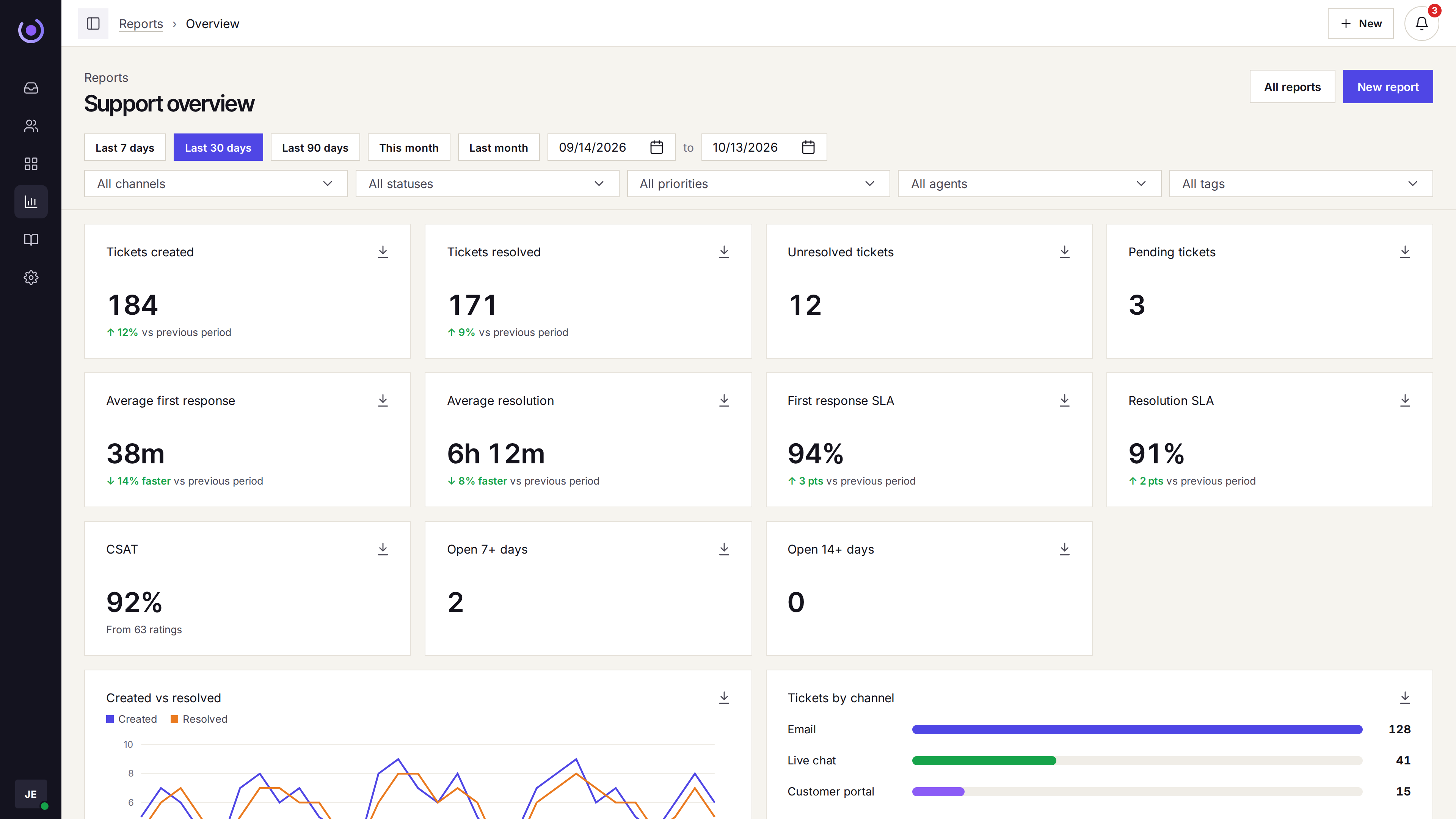
Reports that help plan the next sale
Volume by day, by channel, by tag, by priority. First-response SLA when you turn service levels on.

-
Created vs resolved
See the queue swell before Black Friday, not after.
-
By channel and tag
Spot the SKU or policy that drives half the queue — then fix it.
-
Satisfaction
CSAT ratings on every reply when you ask for them.
-
SLA on the overview
First-response and resolve SLA, when service levels are on.
Three straight answers before you ask
-
Per-agent, not per-ticket
The bill does not spike during a promo week. You pay for seats, not conversations.
-
Up and running in an afternoon
Connect the support address, embed the chat widget, invite the team, forward mail.
-
Honest about what it is not
No phone queue, no WhatsApp, no SSO, no HIPAA. If you need those, Klevrio is not the one.
Who should not buy
If any of these are the reason you are switching, keep looking.
- You need phone, WhatsApp, or SMS in the same queue.
- You need single sign-on.
- You need a HIPAA agreement.
- You need the help desk to charge by ticket.
Questions
Does Klevrio connect to Shopify?
Through email forwarding and the sidebar you can show the order with status and tracking. Klevrio is not a Shopify-first product — if the deepest Shopify sidebar is a must, Help Scout’s native integration is the stronger pick.
Which channels are in the queue?
Email, the site chat widget, and the customer portal. Phone, WhatsApp, Instagram, Messenger, and SMS are not.
What about peak-week volume?
Pricing is per agent on annual billing. A promo week does not add usage fees. The queue scales with the seats you already pay for.
Can customers see where their ticket stands?
Yes. The portal shows status and the reply history, with the help center beside it.
Can we migrate from Gmail or Zendesk?
Yes, as a mailbox cutover. Connect the support address, forward old mail, invite agents, and rewrite macros. The old ticket archive does not move with you.