For SaaS
A calm queue for a growing B2B software team
Email, live chat, and the customer portal in one list. The company stays on the ticket. Growth adds an SLA, dispatch, and automatic assignment.
- Email, chat, and portal in one queue
- The company on every thread
- SLA + assignment on Growth

Built for product teams
For B2B SaaS teams of 3–30 who answer their own customers — not a 200-seat BPO.
Where it breaks first
Four patterns we see in teams the week before they switch.
A shared Gmail that stops scaling
The team hits five agents and the inbox stops being a queue.
No company on the thread
The reply is written without the account, the plan, or last month’s ticket.
The clock just runs
There is no SLA, no owner, no sense of who should take it next.
In-app chat is a separate inbox
The widget pops in another tab the team has to remember to open.
01 — For SaaS
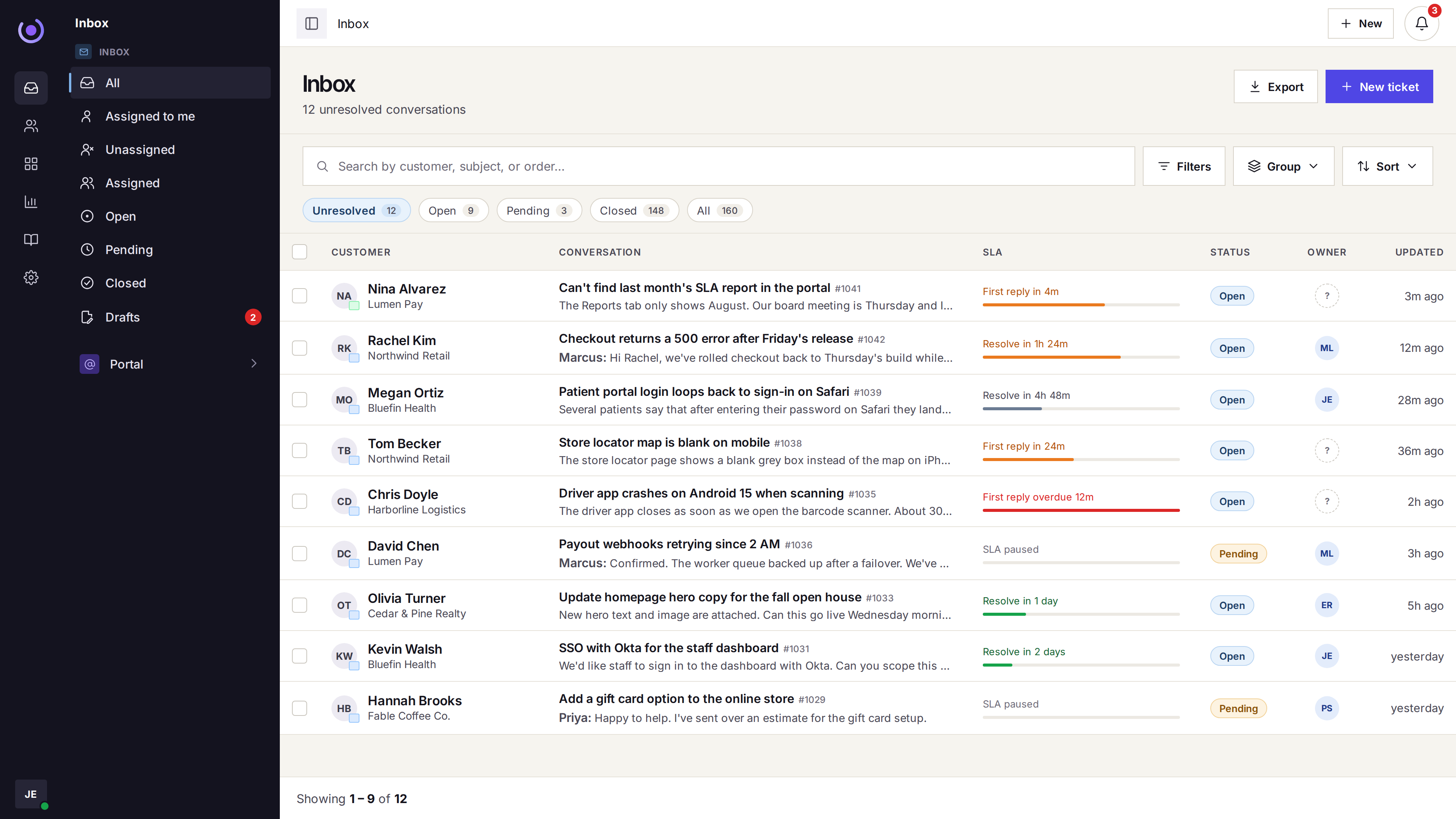
One queue, the account on every row
A billing email, an in-app chat, and a portal request sit in the same list. The company is already on the row before the agent opens it.
-
Email, chat, and the portal
A customer can write from any of the three — the thread stays one ticket.
-
Company on the thread
The account is on the row, with earlier tickets for that company.
-
Internal notes
Leave context the customer does not see — on the ticket itself.
-
No duplicate replies
A collision warning shows when a teammate is already in the thread.
-
Plan and type tags
Mark the pricing tier, the ticket type, and priority right on the row.
-
Search across the lot
One search covers the queue, the help center, and the portal.
02 — For SaaS
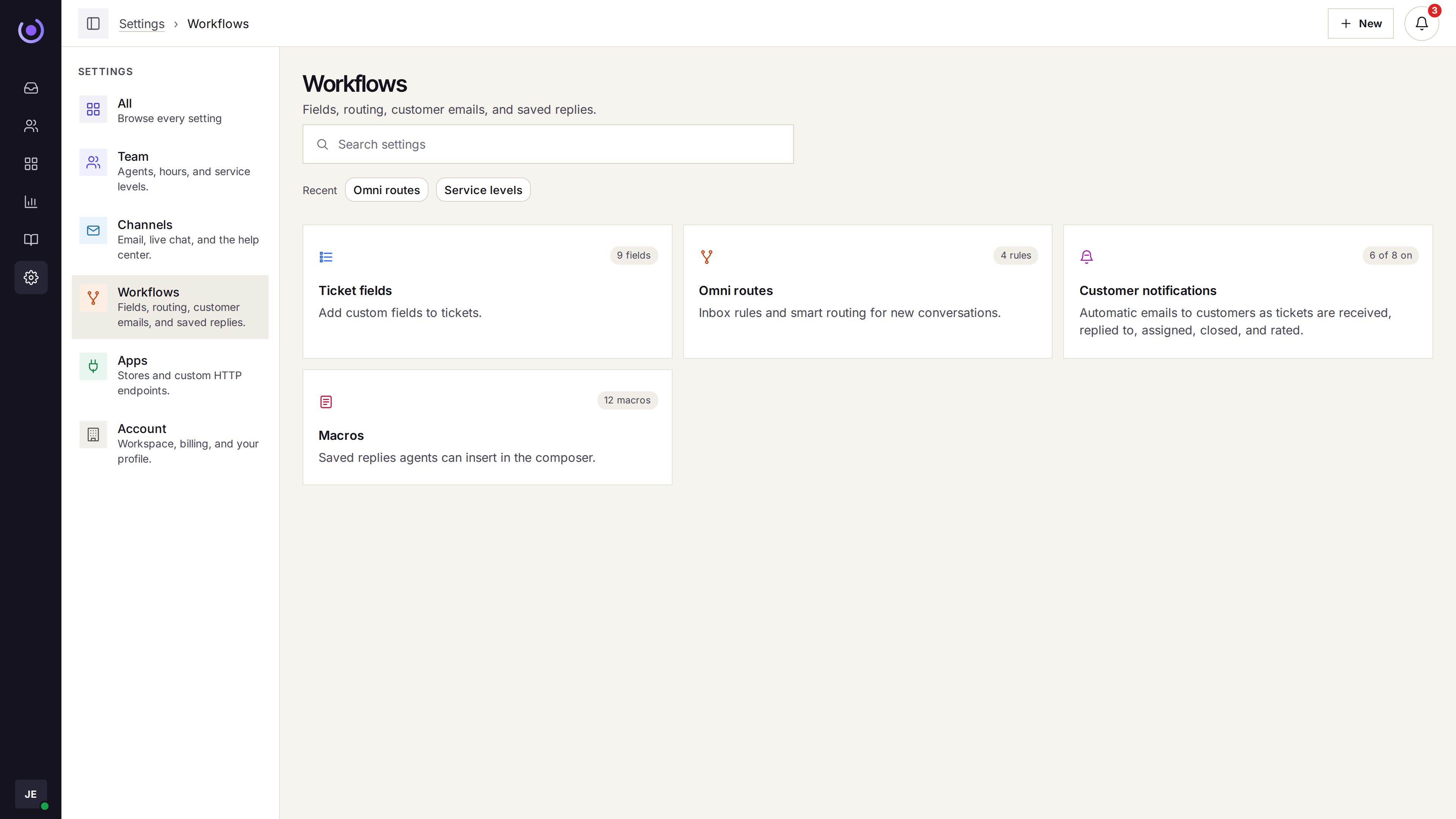
Dispatch, SLA, and macros — all in one place
Growth puts an owner on a ticket, tracks first response, and lets you send the same answer in two clicks.

-
Macros with merge tags
Insert the customer name, plan, or ticket number without copy-pasting.
-
Dispatch rules
A matching request goes to one agent, with the tag and priority already set.
-
Round robin or fewest open
New tickets go to the next agent, or to whoever has the fewest open ones.
-
One SLA on Growth
First response and resolution targets, business hours only if you want.
03 — For SaaS
A help center that stops repeat tickets
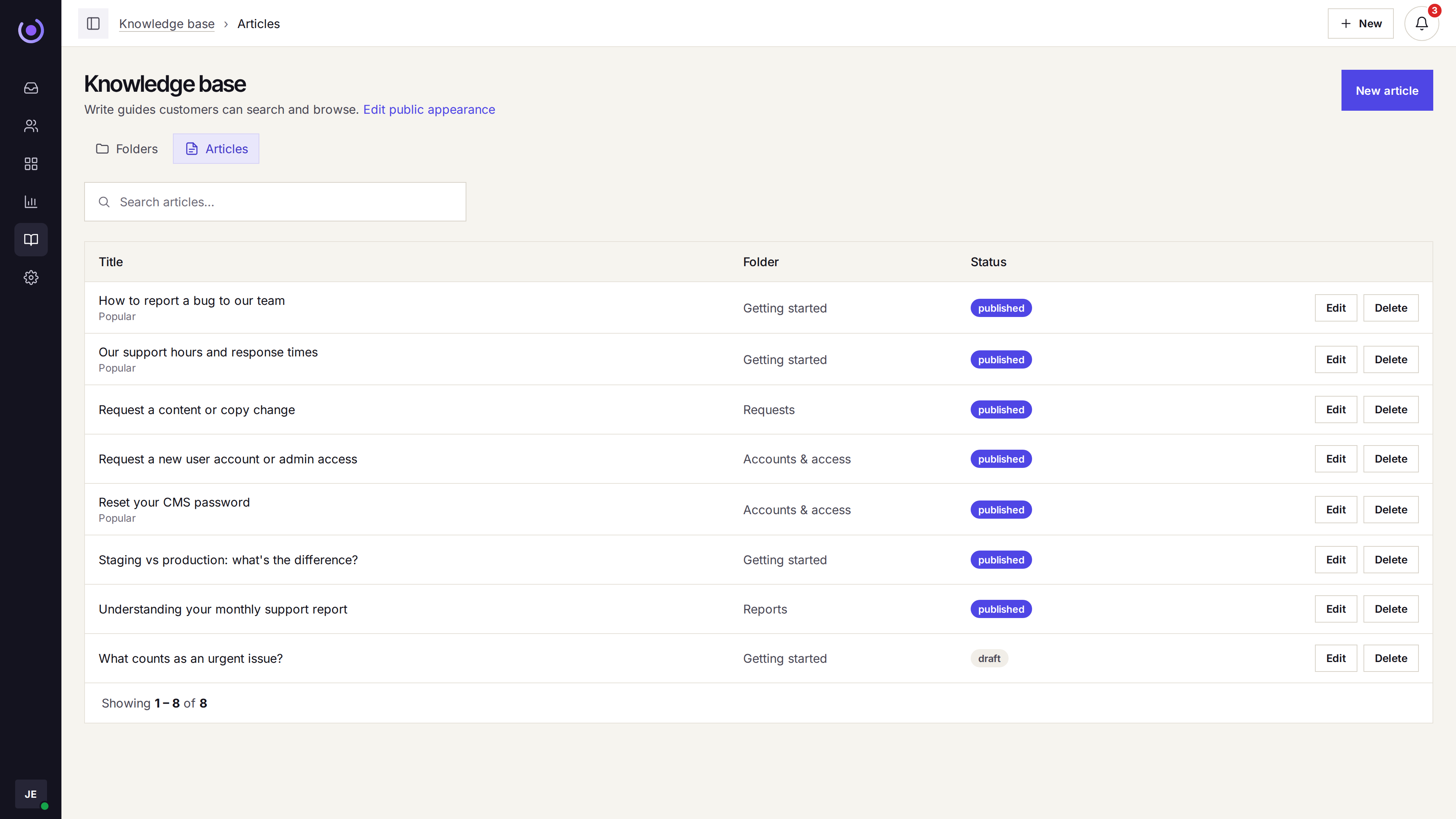
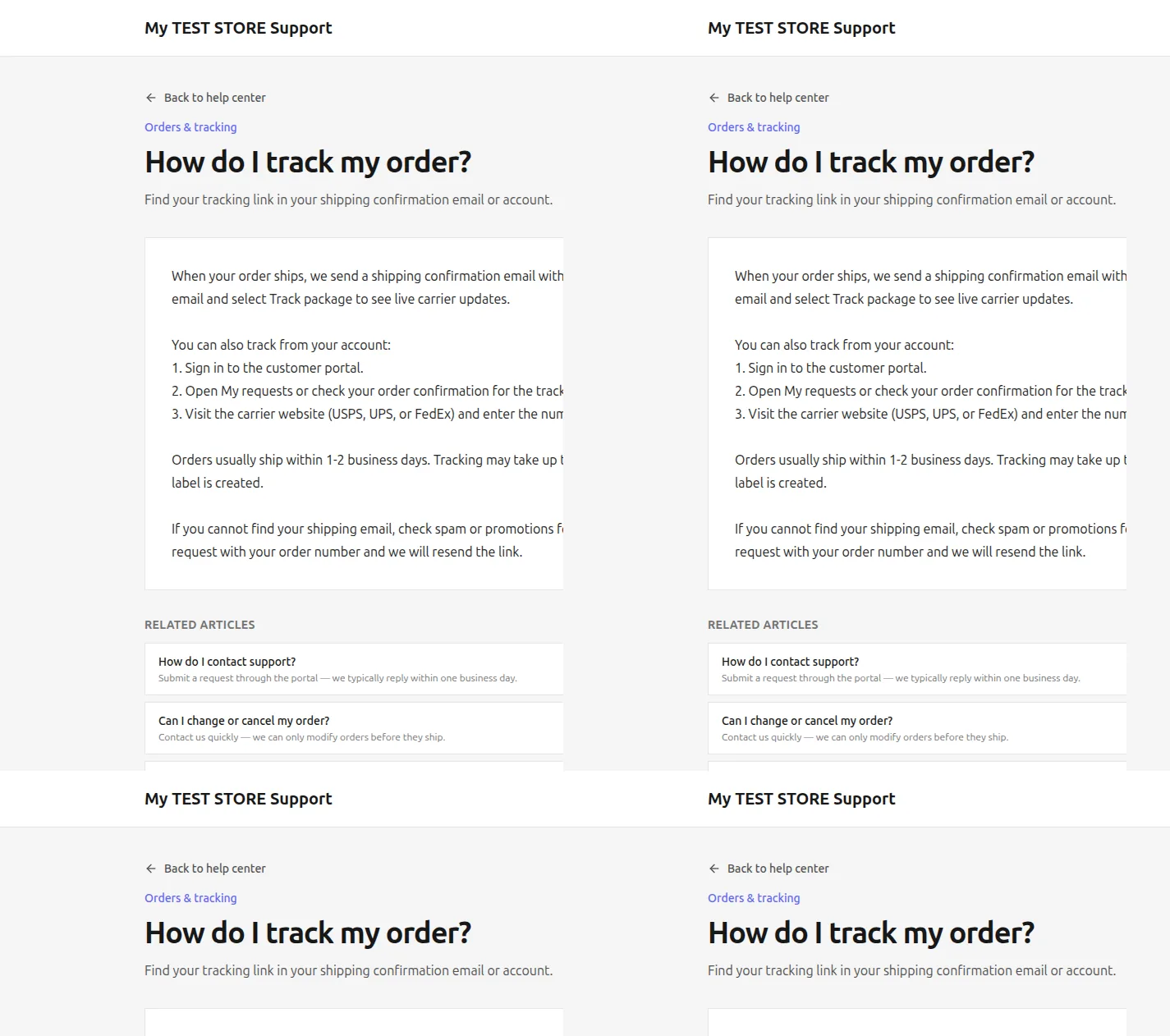
Public articles sit beside a portal where customers see status and the reply history. The agents stop retyping the same answer.
-
Articles and folders
Group the common questions, the API notes, and the onboarding guides.
-
Portal beside it
Customers see their ticket status and recent replies in the same place.
-
Your domain, your logo
The portal and help center use the workspace brand you already set.
-
New requests become tickets
What they submit lands in the shared queue, in the same thread format.
04 — For SaaS
Reports that answer the Monday question
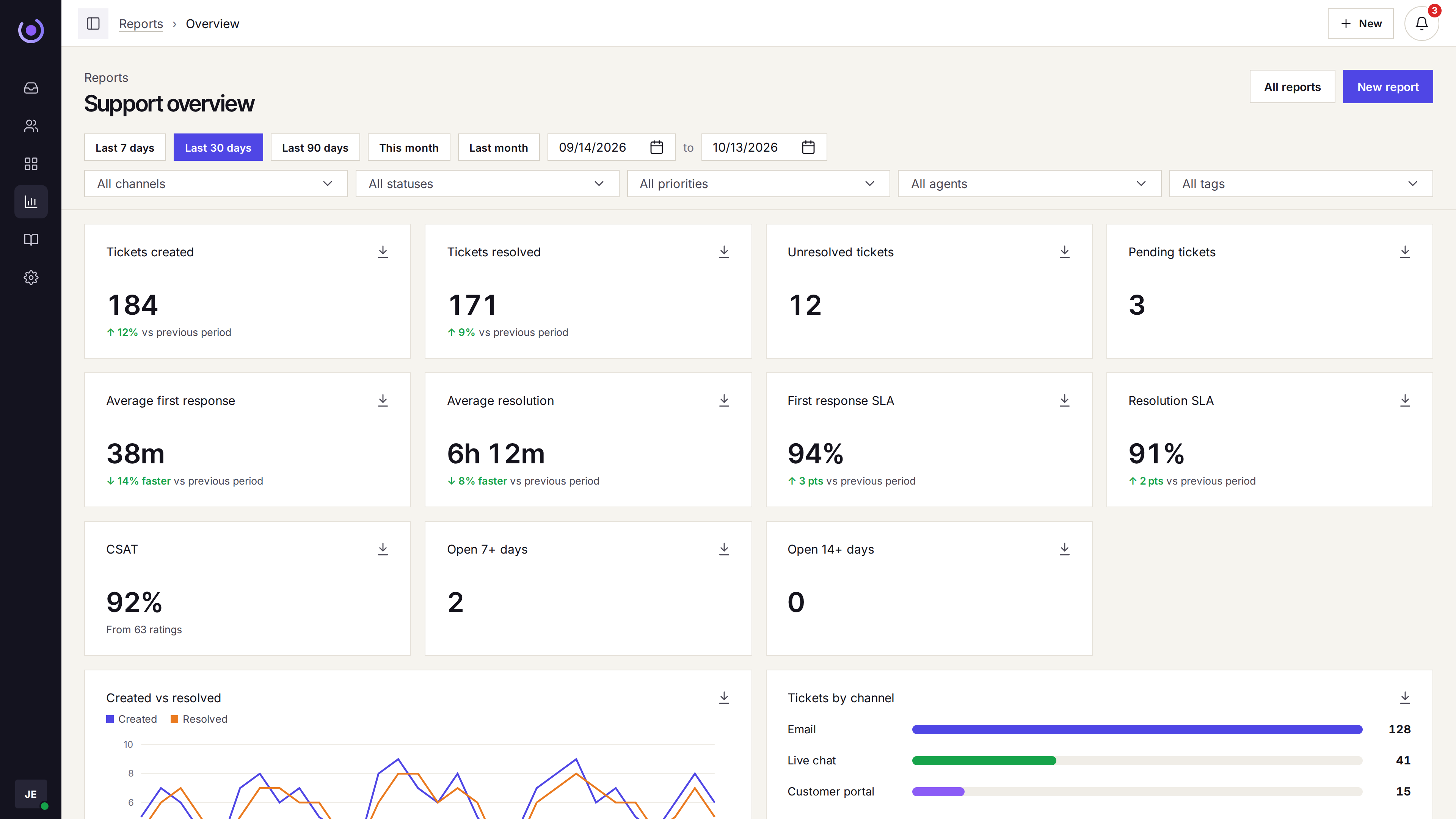
Volume by day, SLA by week, tickets by company, agent, and tag. The overview sits on every plan.

-
Created vs resolved
See the queue grow or shrink by day, filtered by channel or company.
-
SLA on the overview
First-response and resolve SLA when service levels are on.
-
By company and type
Saved reports can break the queue down by account or ticket type.
-
Satisfaction
CSAT ratings on every reply when you ask for them.
Three straight answers before you ask
-
Per-agent, not per-ticket
The bill does not spike after a launch week. You pay for seats, not conversations.
-
Up and running in an afternoon
Connect the support address, embed the chat widget, invite the team, forward mail.
-
Honest about what it is not
No phone queue, no WhatsApp, no SSO, no HIPAA. If you need those, Klevrio is not the one.
Who should not buy
If any of these are the reason you are switching, keep looking.
- You need phone, WhatsApp, or SMS in the same queue.
- You need single sign-on.
- You need a HIPAA agreement.
- You need the help desk to charge by ticket.
Questions
Which channels are in the queue?
Email, the site chat widget, and the customer portal. Phone, WhatsApp, Instagram, Messenger, and SMS are not.
When does a ticket get an owner?
On Growth, by round robin or fewest open tickets. You can limit that to agents who are online, and cap how many open tickets one person holds. Starter leaves assignment to the team.
Is there a free trial?
No. Pricing is per agent. A new subscription can be refunded in full within 14 days of the first charge.
Do I have to book a demo to buy?
No. Checkout is self-serve. A demo is a 30-minute walkthrough, not a contract.
Can we migrate from Gmail, Zendesk, or Intercom?
Yes, as a mailbox cutover. Connect the support address, forward old mail, invite agents, and rewrite macros. The old ticket archive does not move with you.